Going Balls 3D - Game Details
About Going Balls 3D
Going Balls 3D is a relaxing 3D rolling game where smooth control and calm focus are the key to winning. Swipe to steer the wooden platform and guide the ball forward—no need to rush, just keep it steady and reach the finish line without falling.
Going Balls 3D is listed in the casual catalogue on PlayAlready in 2026. This GameDistribution game is unavailable on this site.
How to Play Going Balls 3D
Publisher instructions are reproduced below as supplied. They may omit rules, scoring or other controls; this is not a verified play session.
Desktop: Click & drag / Hold left mouse and move – Tilt/steer the platform to move the ball. Left click UI buttons – Start, restart, open shop, buy balls. Mobile / Touch: Swipe / drag finger – Tilt/steer the platform to roll the ball. Tap – Use UI buttons, open shop, purchase balls.
Controls and Device Compatibility
The publisher lists a 750 × 1334 frame for Going Balls 3D — 0.56 in portrait orientation. Device compatibility is unverified; dimensions alone do not confirm phone or browser support. The control pattern below was matched against the wording the publisher shipped with Going Balls 3D rather than assigned from the casual template, so it summarizes supplied wording, not verified gameplay or device compatibility.
- Mouse — Named in the supplied publisher text; other input devices and compatibility are unverified.
- Tap (device unspecified) — Named in the supplied publisher text; other input devices and compatibility are unverified.
| Board size | 750 × 1334 px |
|---|---|
| Aspect ratio | 0.56 |
| Orientation | Portrait |
| Device compatibility | Unverified |
| Primary input | Mouse |
| Technology | Publisher-listed HTML5 |
Going Balls 3D Game Features
- Availability — Unavailable on this site
- Pricing and requirements — Unverified for the external game
- Device compatibility — Unverified
- Casual Gameplay — Enjoy casual-style mechanics
What the Tags on Going Balls 3D Tell You
Every title here carries the tags its publisher filed it under. These are the ones on Going Balls 3D, what each one means for the way it plays, and how many other games in this library share it — so you can jump straight to the next game with the same trait instead of scrolling a whole category.
- ball — balls are what you launch, roll or collect. 13 games in this library carry the tag, including Pool Merge, 99 Balls, Chain Puzzle, Sorting Xmas Balls.
- relaxing — paced so you can stop and think between moves. 31 games in this library carry the tag, including Screw Color Sorting Master, Color Sand Puzzle, Mahjong Tile Club, Cube Drop Puzzle.
- rolling. 2 games in this library carry the tag, including Digging Moles.
- arcade — arcade pacing sits on top of the puzzle rules. 24 games in this library carry the tag, including Pipe Connect, Sort Tiles, Unstack Tower, Sort Works: Nuts & Order.
- 3d — a 3D board, so pieces can sit behind or on top of one another. 21 games in this library carry the tag, including Slinky Color Sort, Tap It Away 3D, Goods Triple Match 3D, Tap Away Block Puzzle 3D.
How Going Balls 3D Compares to the Closest Casual Games Here
The rows below are the titles in this library with the most tags in common with Going Balls 3D — matched on what they actually share rather than on how popular they are. Each row gives the board size the game renders at, whether it is built tall or wide, and what you drive it with, so you can pick the next one on something more concrete than a thumbnail.
| Game | Category | Tags in common | Board | Orientation | Primary input |
|---|---|---|---|---|---|
| Going Balls 3D (this page) | Casual | — | 750 × 1334 | Portrait | Mouse |
| Rooftop Run | Casual | arcade, 3d | 800 × 600 | Landscape | Keyboard |
| Basketball Fever | Casual | ball, arcade | 720 × 1280 | Portrait | Tap (device unspecified) |
| Ball Sort | Block Blast | ball, relaxing | 506 × 900 | Portrait | Tap (device unspecified) |
| Screw Sort 3D: Screw Puzzle | Block Blast | arcade, 3d | 720 × 1280 | Portrait | Mouse |
| Sudoku Garden | Block Blast | arcade, 3d | 720 × 1280 | Portrait | Not stated by the publisher |
| Cupid’s Story: Love Archer Bow | Casual | relaxing | 1080 × 1920 | Portrait | Not stated by the publisher |
Frequently Asked Questions
Can I play Going Balls 3D on this site?
No. This GameDistribution game is unavailable here because this site is not whitelisted. Publisher-listed details and controls remain available below.
What are the publisher controls for Going Balls 3D?
Desktop: Click & drag / Hold left mouse and move – Tilt/steer the platform to move the ball. Left click UI buttons – Start, restart, open shop, buy balls. Mobile / Touch: Swipe / drag finger – Tilt/steer the platform to roll the ball. Tap – Use UI buttons, open shop, purchase balls.
What are similar games to Going Balls 3D?
If you enjoy Going Balls 3D, try Rooftop Run, Basketball Fever, Ball Sort. Browse our Casual games for more.
Games Like Going Balls 3D
Compare publisher details and controls for similar casual games. Listings do not confirm playable availability.
- Rooftop Run — shares the arcade and 3d tags with Going Balls 3D, and runs at 800 × 600 in landscape, driven by keyboard.
- Basketball Fever — shares the ball and arcade tags with Going Balls 3D, and runs at 720 × 1280 in portrait, driven by tap (device unspecified).
- Ball Sort — shares the ball and relaxing tags with Going Balls 3D, and runs at 506 × 900 in portrait, driven by tap (device unspecified).
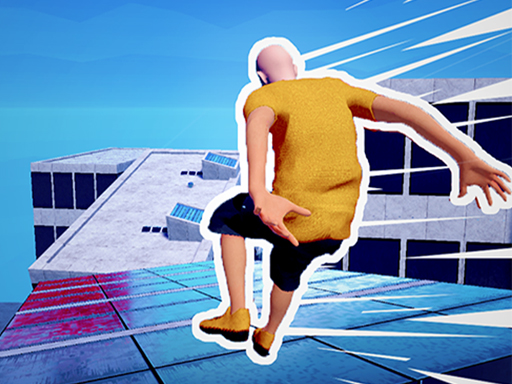
Rooftop Run
Unavailable on this siteRun, jump, and slide over rooftops in this fast-paced parkour game! Dodge obstacles, smash through...

Basketball Fever
Unavailable on this siteGet ready for endless basketball fun! Basketball Fever features four exciting basketball challenges...

Ball Sort
Unavailable on this siteBall Sort is a fun and addictive puzzle game where you sort colorful balls into tubes – can you...

Screw Sort 3D: Screw Puzzle
Unavailable on this siteReady to challenge your mind and intelligence in the Screw Sort 3D: Screw Puzzle. This casual 3D...

Sudoku Garden
Unavailable on this sitePlayers must expand their thinking to solve puzzles in adventures. Learn to approach problems from...

Cupid’s Story: Love Archer Bow
Unavailable on this siteIn Cupid's Story: Love Archer Bow, you play as a love archer armed with a trusty bow. Your mission...